How can we help you?
Browse popular FAQs
[In-app activation] How can I activate the eSIM on iOS devices?
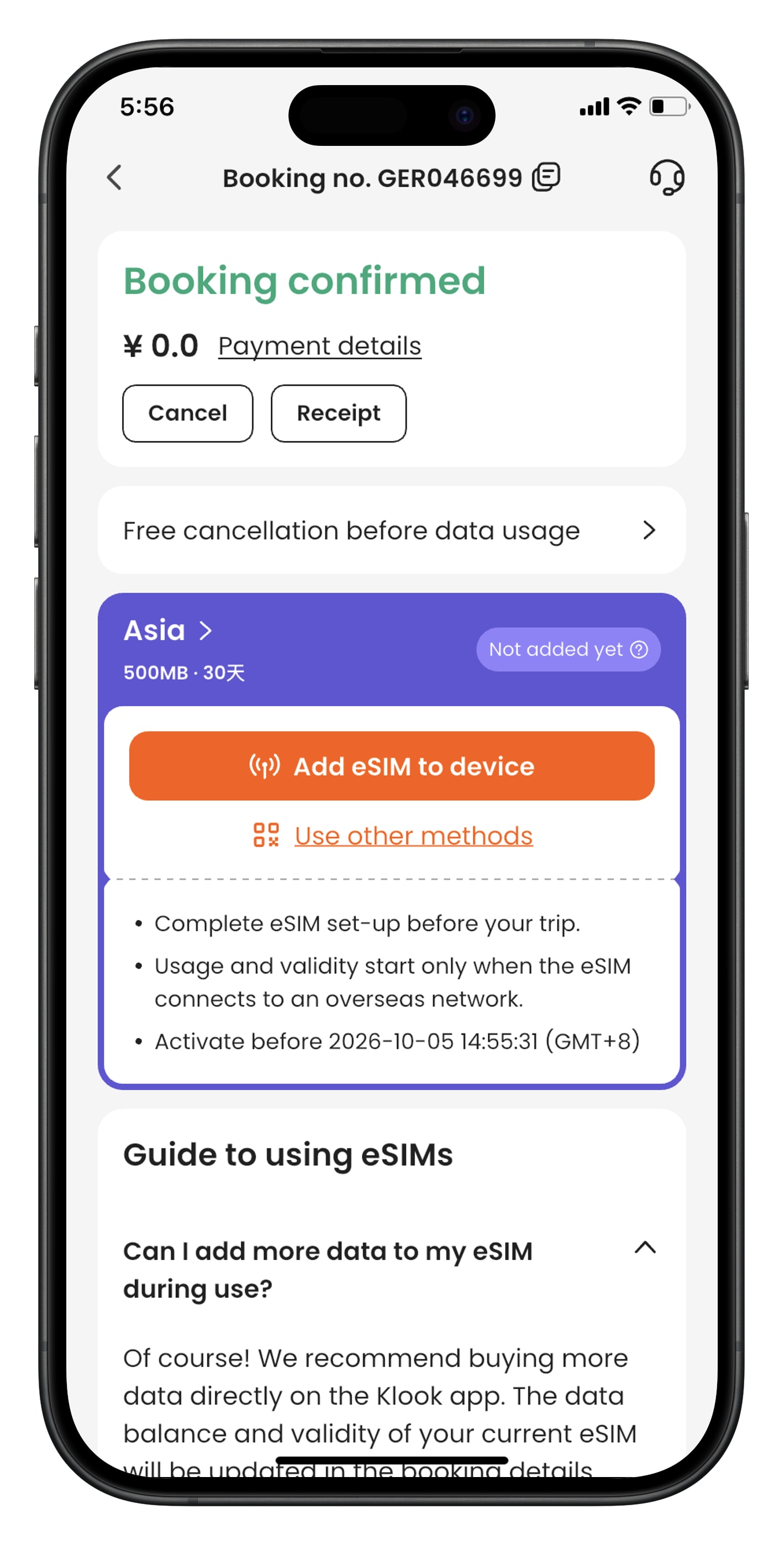
- Step 1. Open the Klook app. Go to Account > Bookings to find your voucher. Select “Use other methods” to see your QR code.
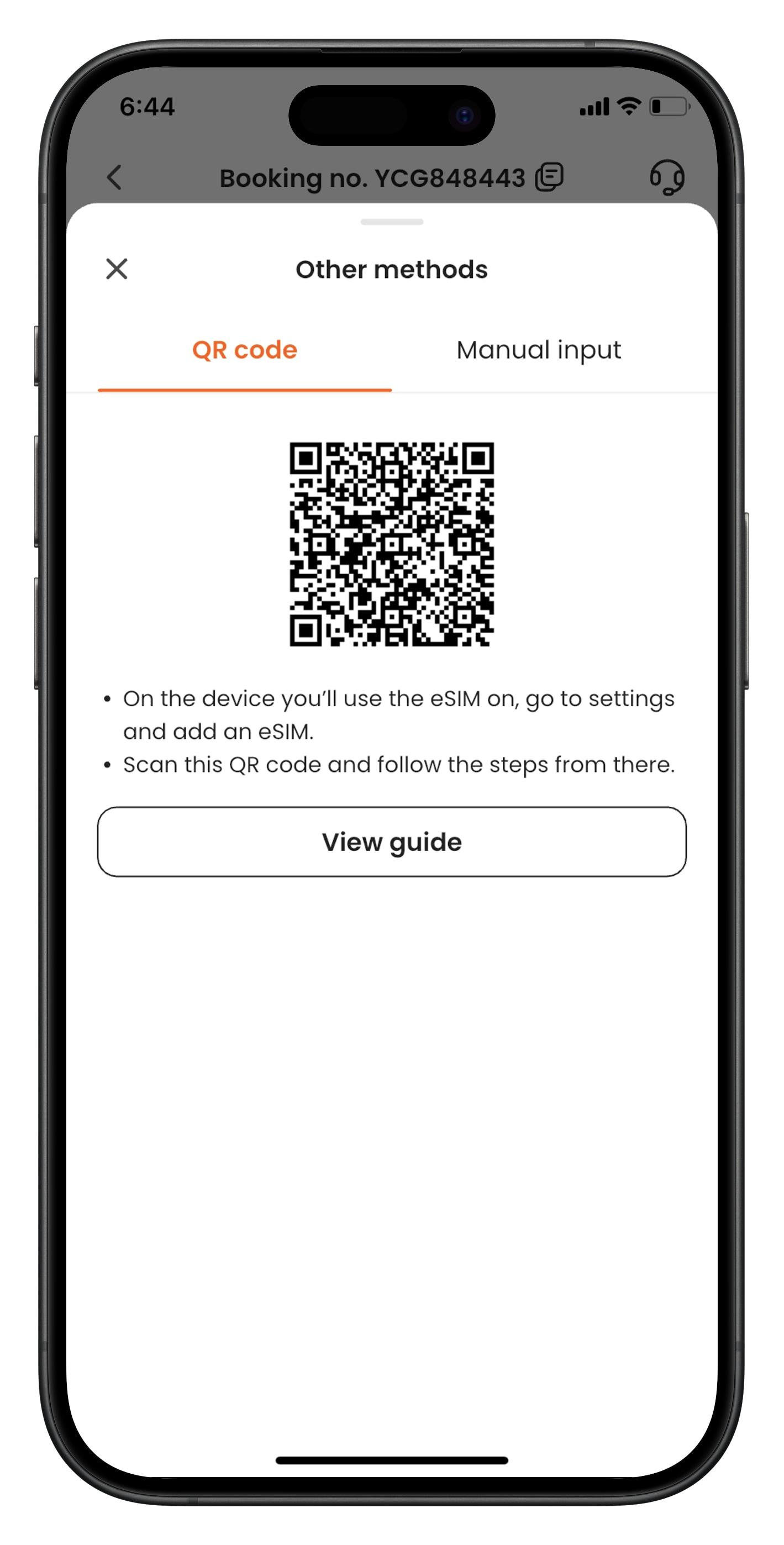
- Step 2. From the device that you’d like to use the eSIM, go to Settings > Cellular > SIMs. Tap “Add eSIM” and “Use QR Code”, and scan the QR code.
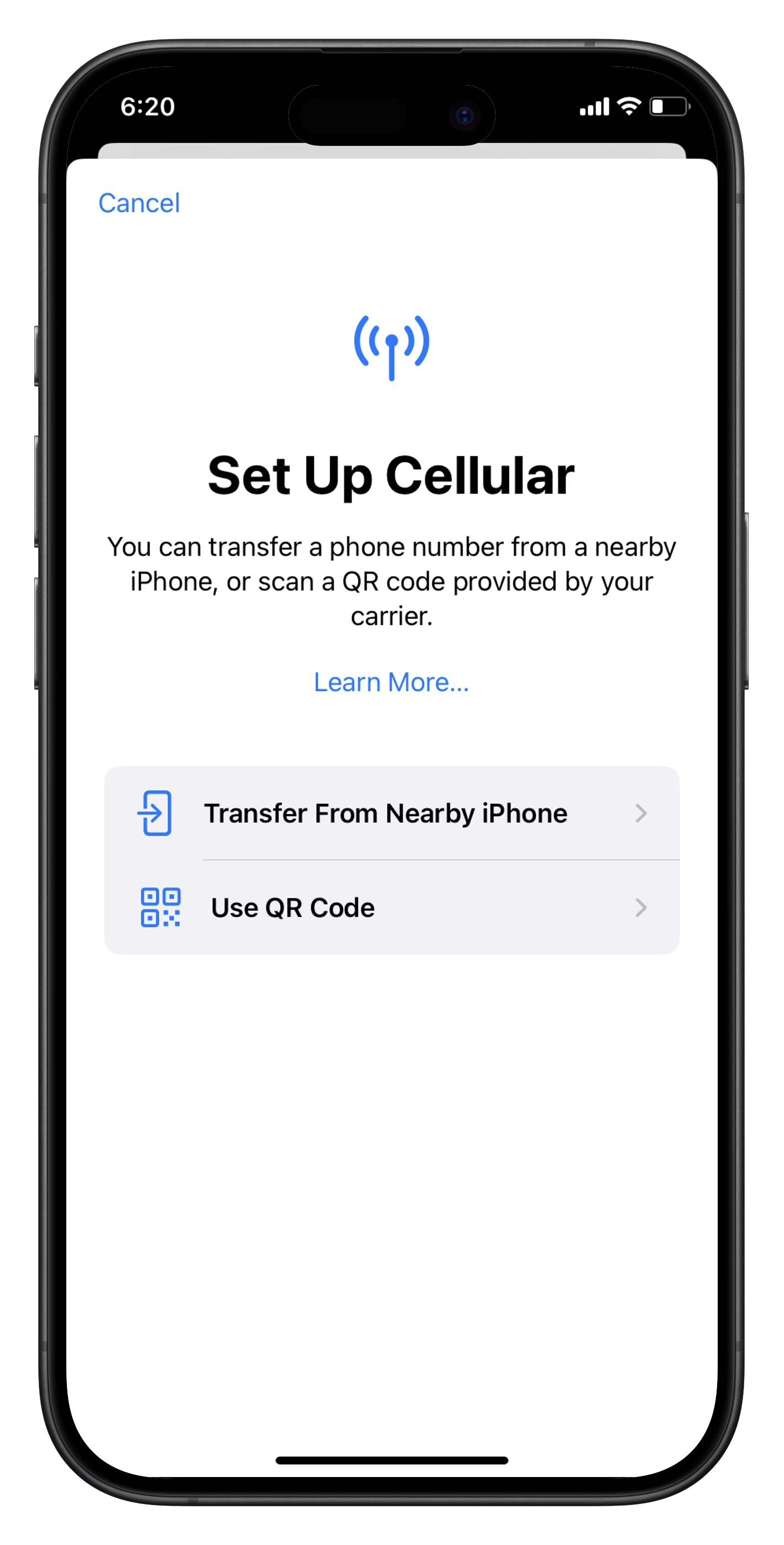
- Step 3. Activate the eSIM on a stable connection. Please do not leave the page while the eSIM is being activated.
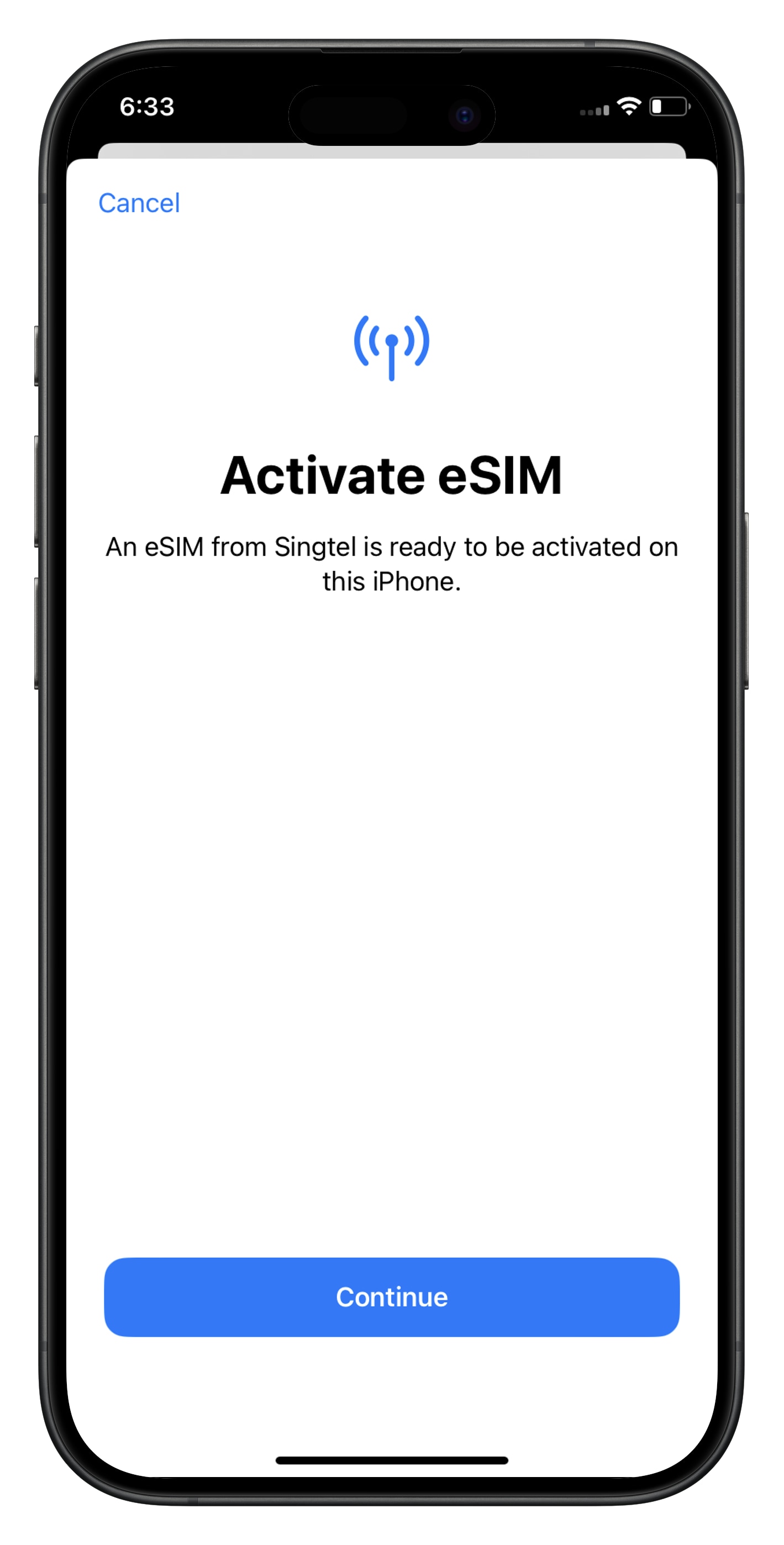
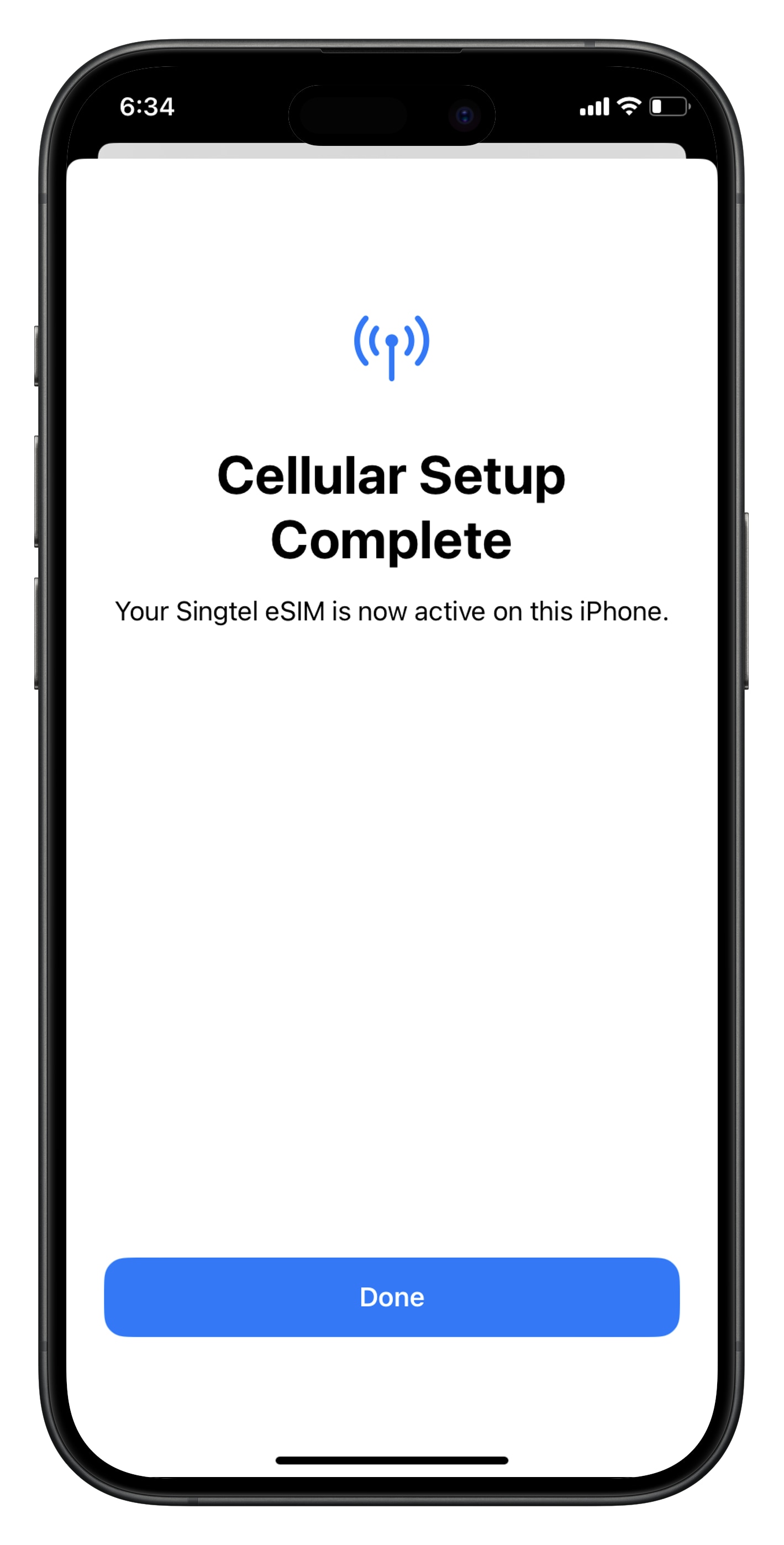
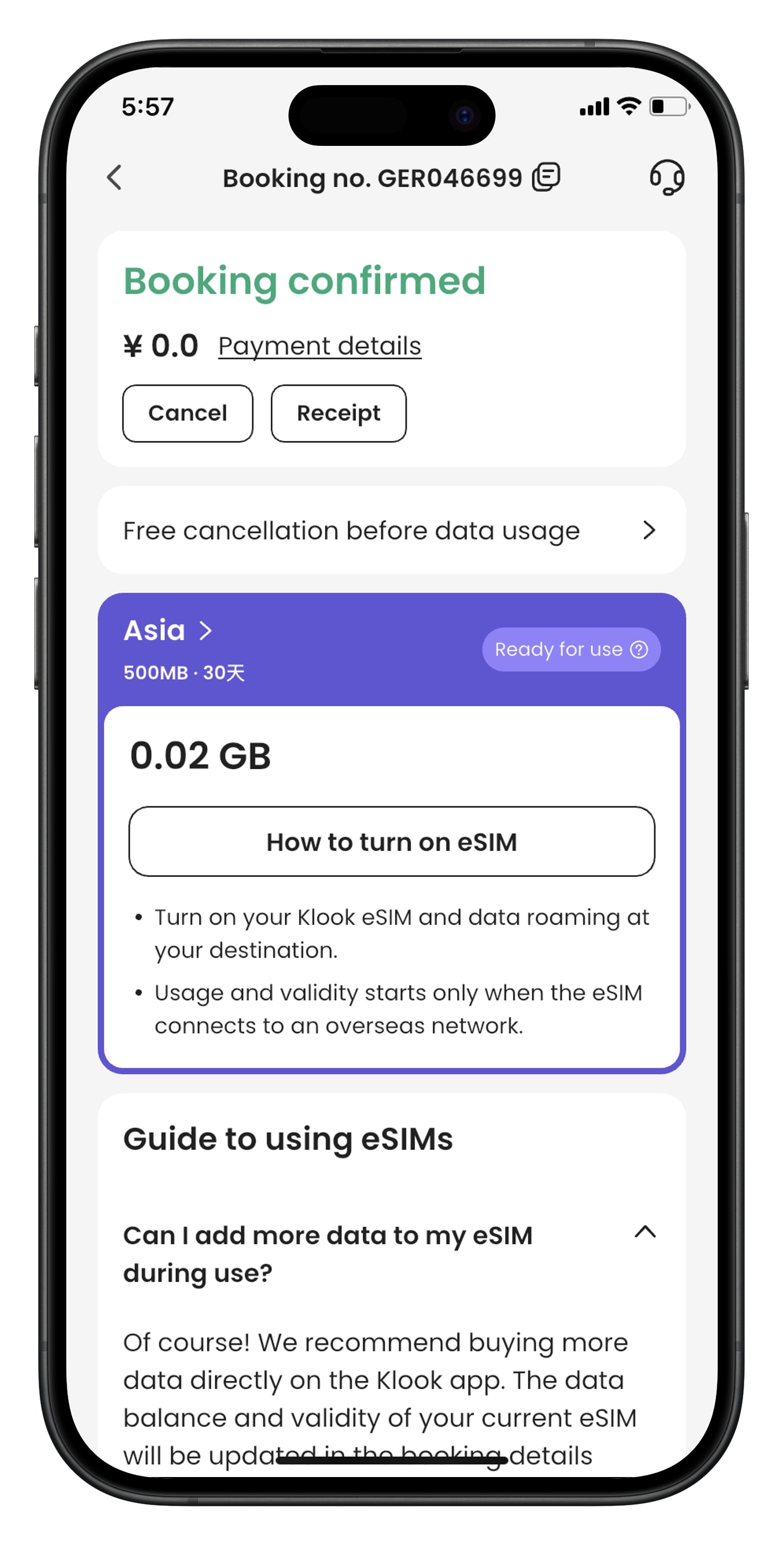
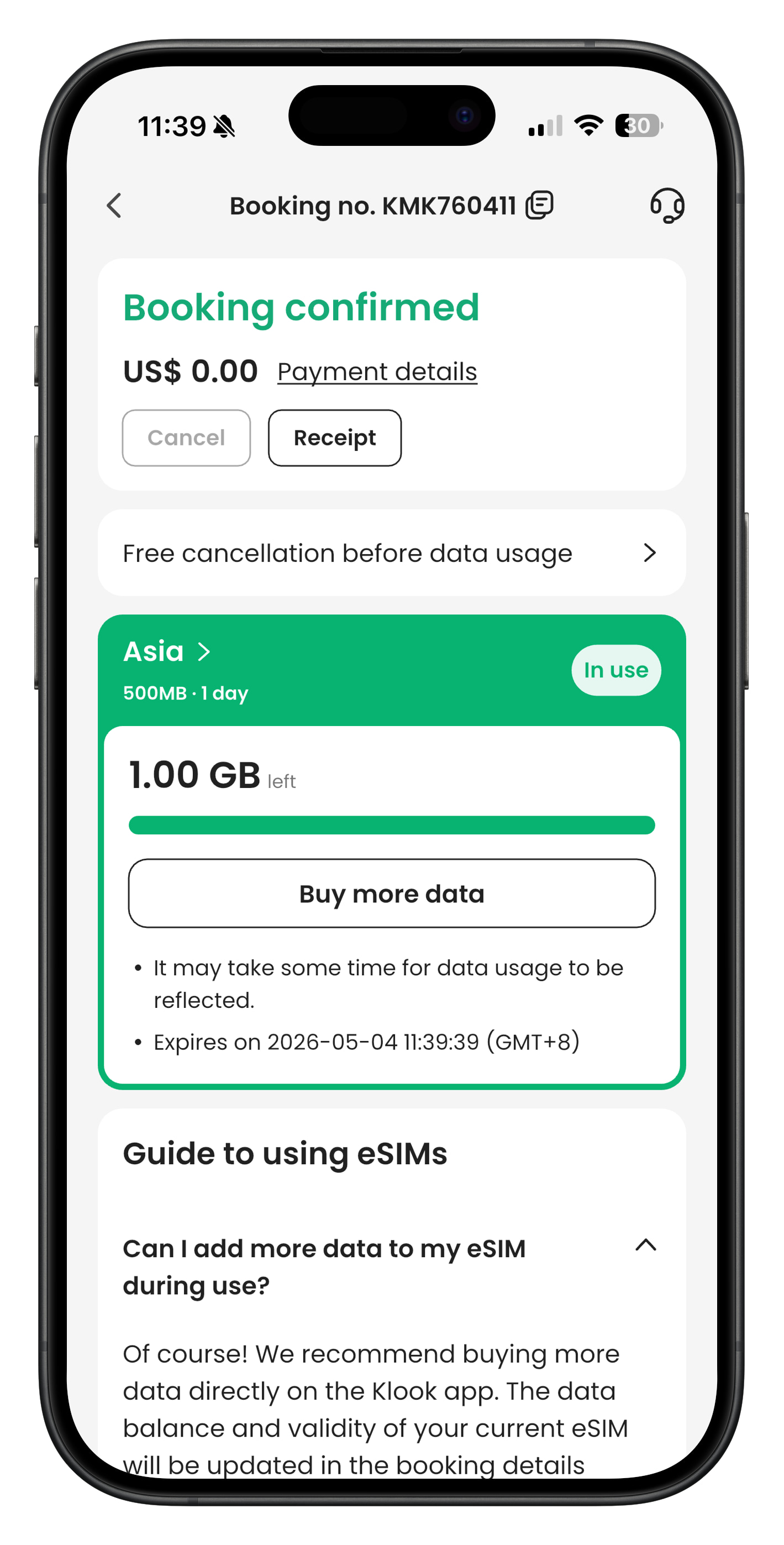
- Step 4. Check the eSIM status in your Klook booking. Tap the icon on the top right corner to get help with any issues. Please note that checking the data balance on the app is enabled only for the “Data in total” packages.
When will I receive my booking confirmation?
This depends on the policy of your activity.
- For activities with instant confirmation: You will receive your booking confirmation email within 5 minutes of making your booking.
- For activities without instant confirmation: You will receive your booking confirmation within 24-48 hours of making your booking. Check the package details > Confirmation section of your booking/activity page for the booking confirmation time for your activity.
If you have not received your booking confirmation even after the time mentioned above, please refer to this article.
How do I use my KlookCash?
If you have at least 10 KlookCash in your account, you will be able to use your KlookCash.
On your booking check out page, under the "Discount" section, tick the checkbox that says "KlookCash" to apply your KlookCash as a discount on the current price of your booking.
Please note you will not be able to use KlookCash when buying certain products, including but not limited to Klook Passes, e-Gift Cards, Travel Insurances, Stay+ packages and selected events (e.g certain concerts, music festivals, carnivals, exhibitions, sports and marathons). We may also exclude other products at our discretion.
What can I do if I haven't received my booking confirmation email?
Please go through the following steps:
- Check the "Terms & Conditions > Confirmation" on the activity page for the expected confirmation time of your booking
- If you are still within the confirmation window indicated on your package, please give us a bit more time to get your voucher to you.
- If the confirmation time has passed or the package is listed as "Instant confirmation", check your email spam/junk folder in case your spam filter has accidentally caught the booking confirmation email.
- If you are still unable to find your booking confirmation email, get in touch with our customer support agents through your Bookings page > Click on your booking > "Chat with us"
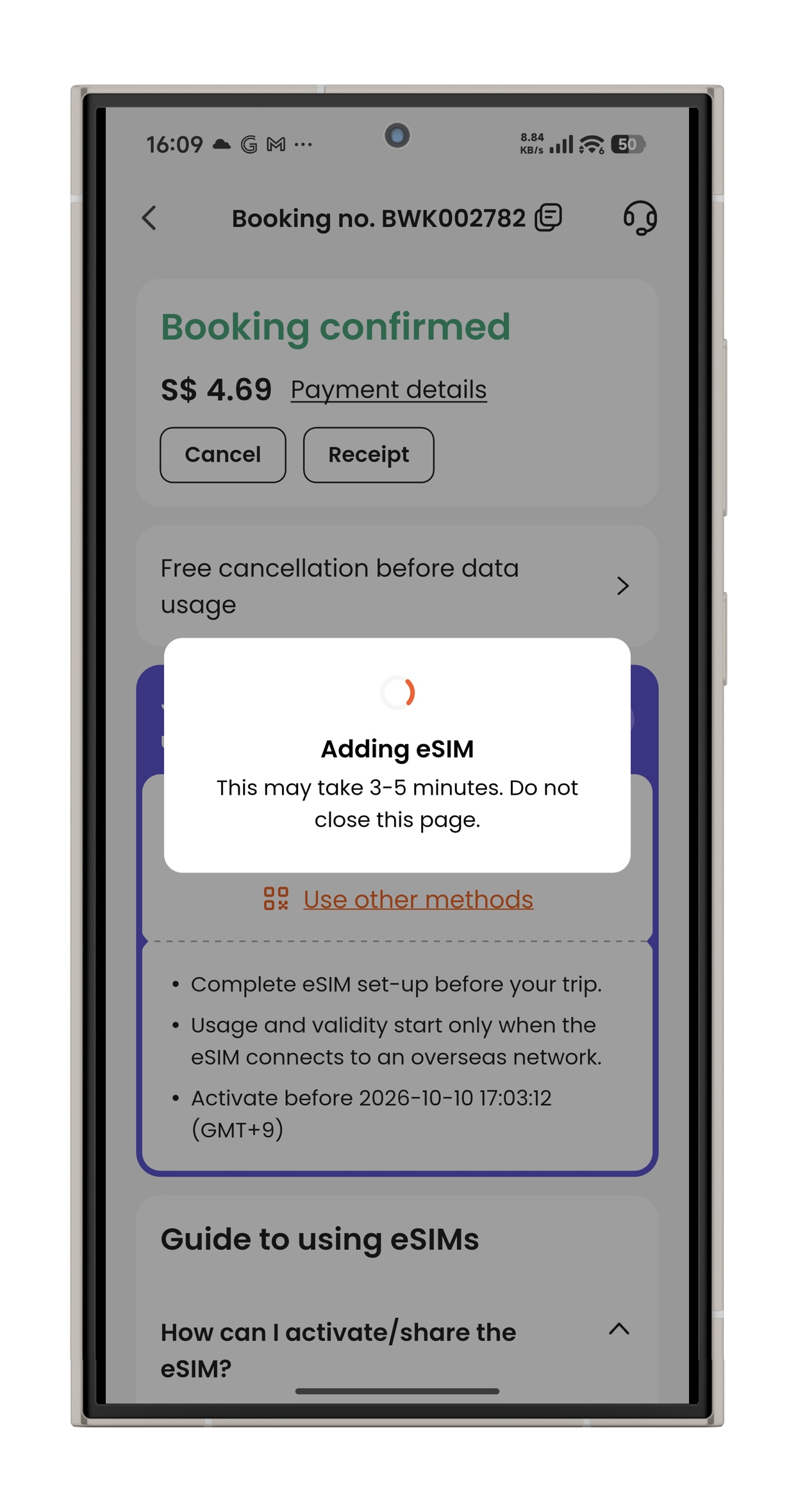
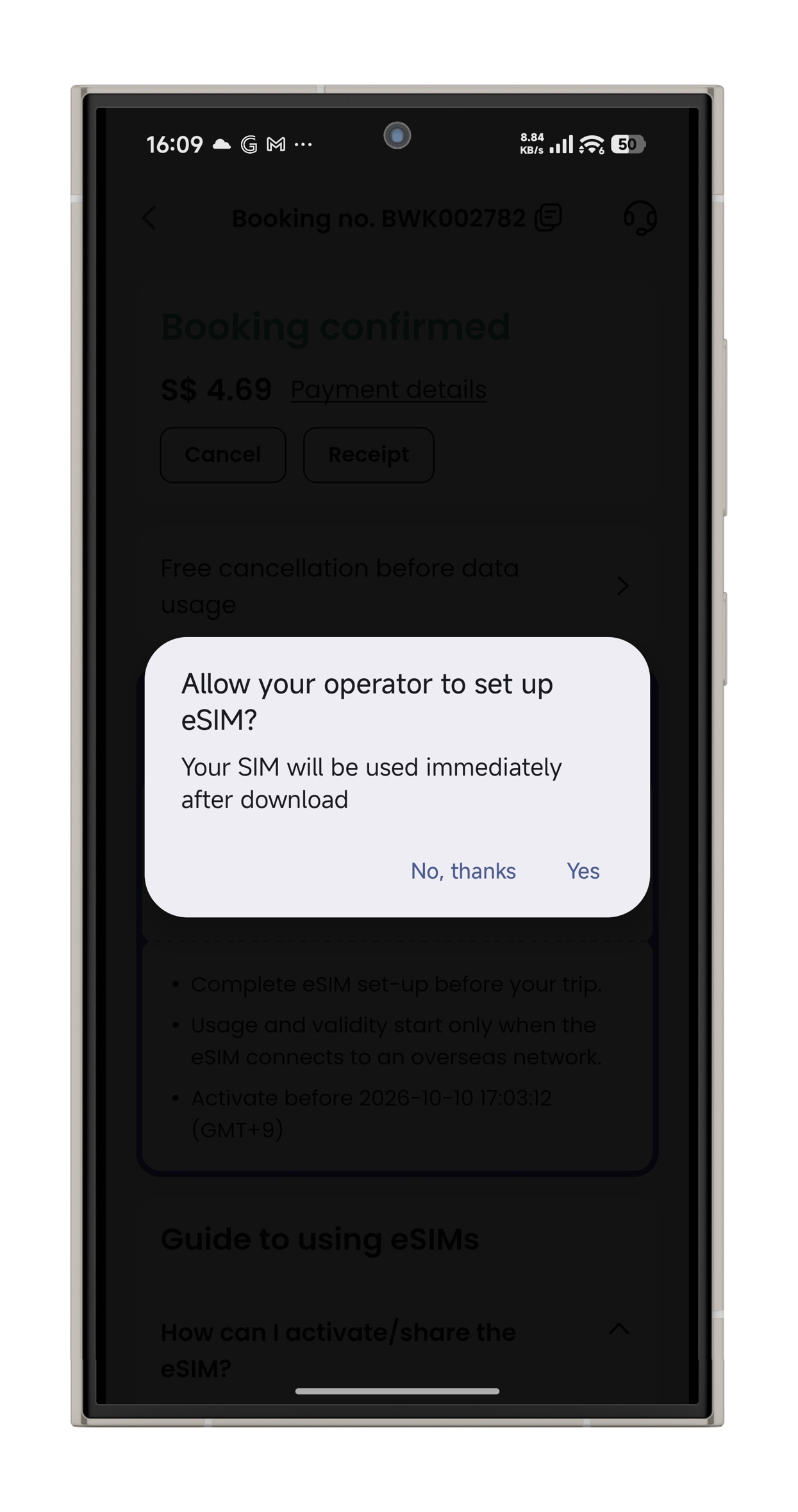
[In-app activation] How can I activate the eSIM on Android devices?
- Step 1. Open the Klook app. Go to Account > Bookings. Tap the “Activate” button. (You can also scan the QR code on your voucher from Settings > Cellular > SIMs > Tap Add eSIM > scan QR code.)
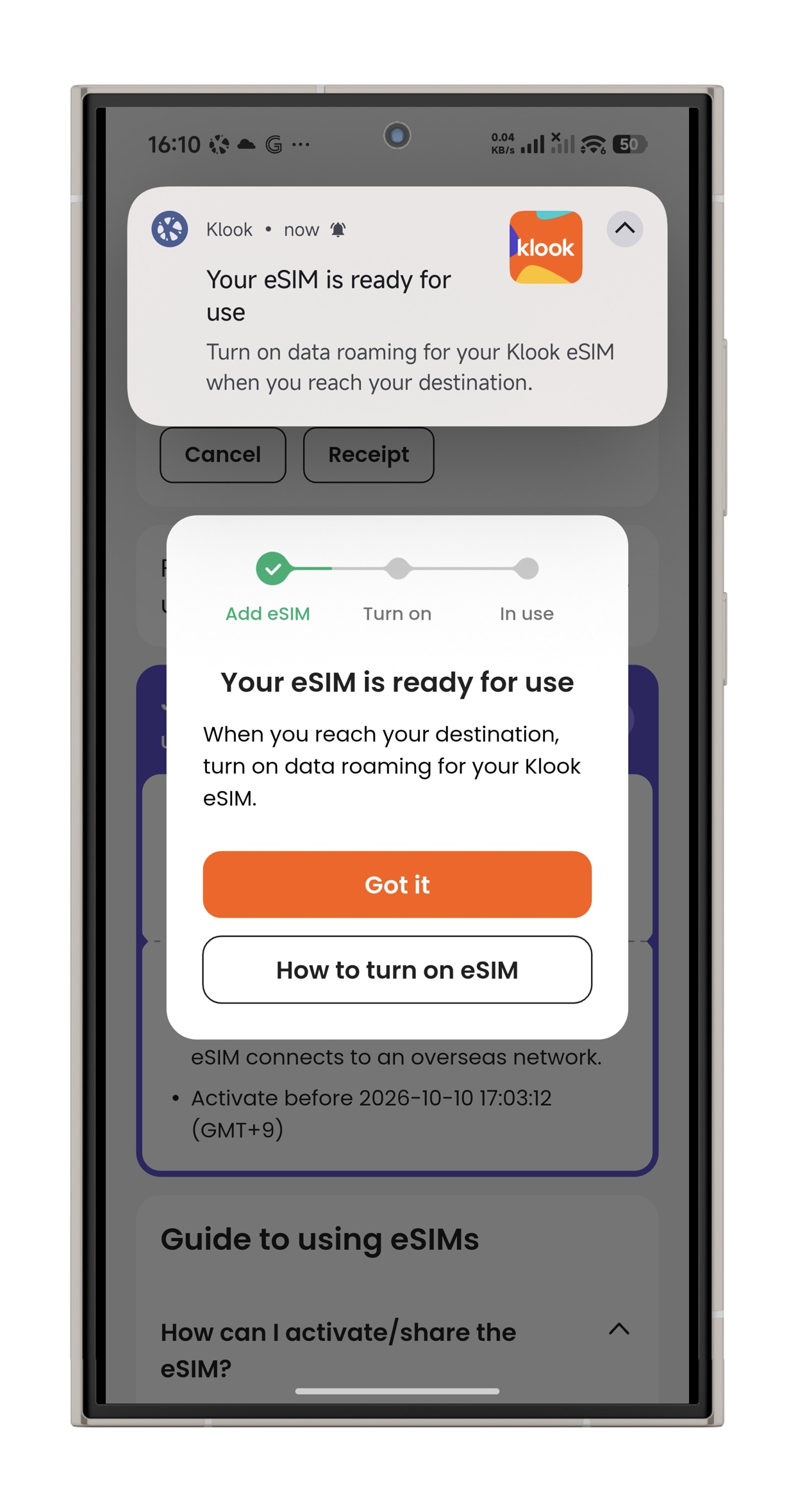
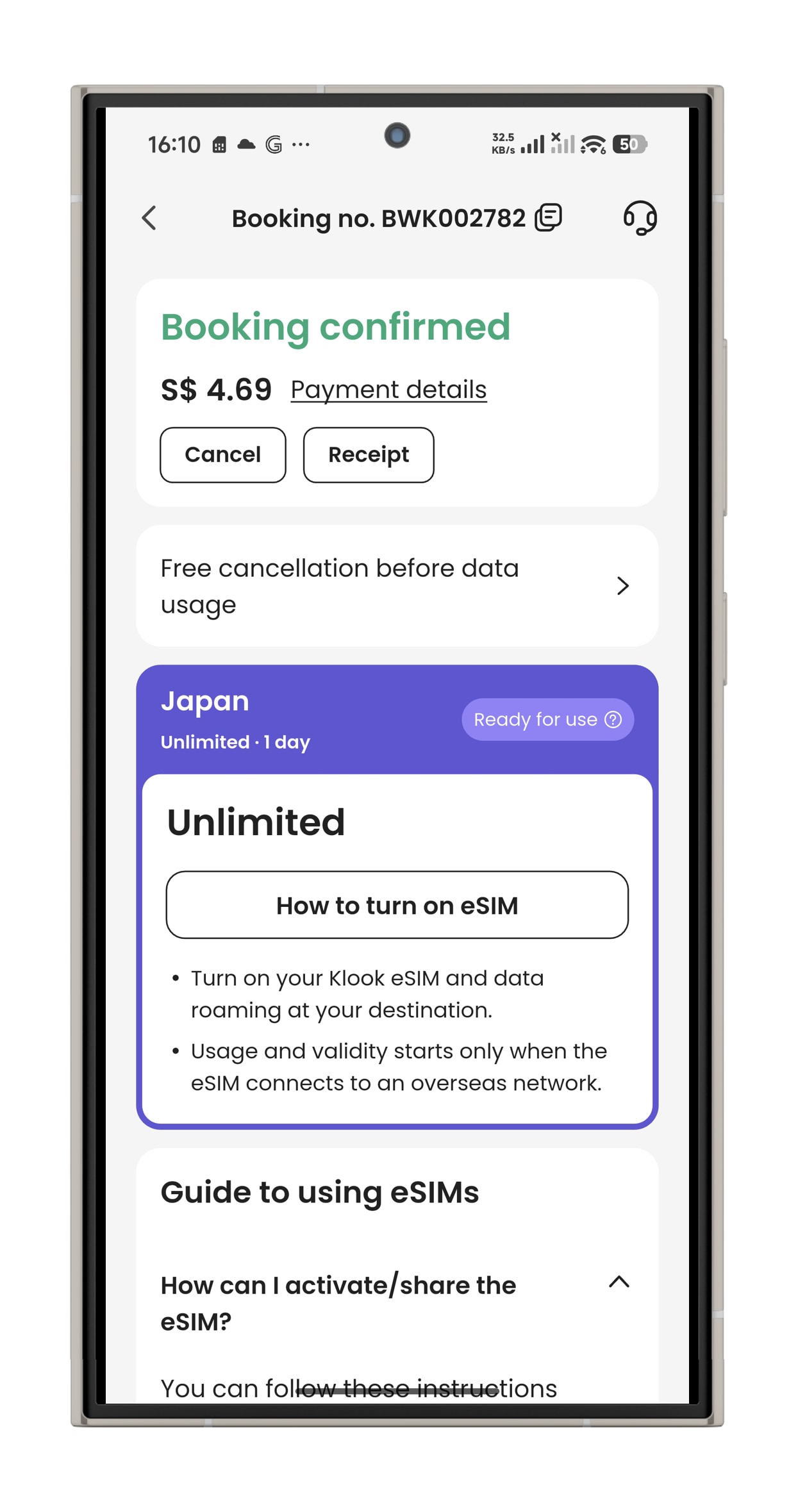
- Step 2. Make sure to read the reminder before activation. Don’t worry - your data usage won’t start immediately upon activation.
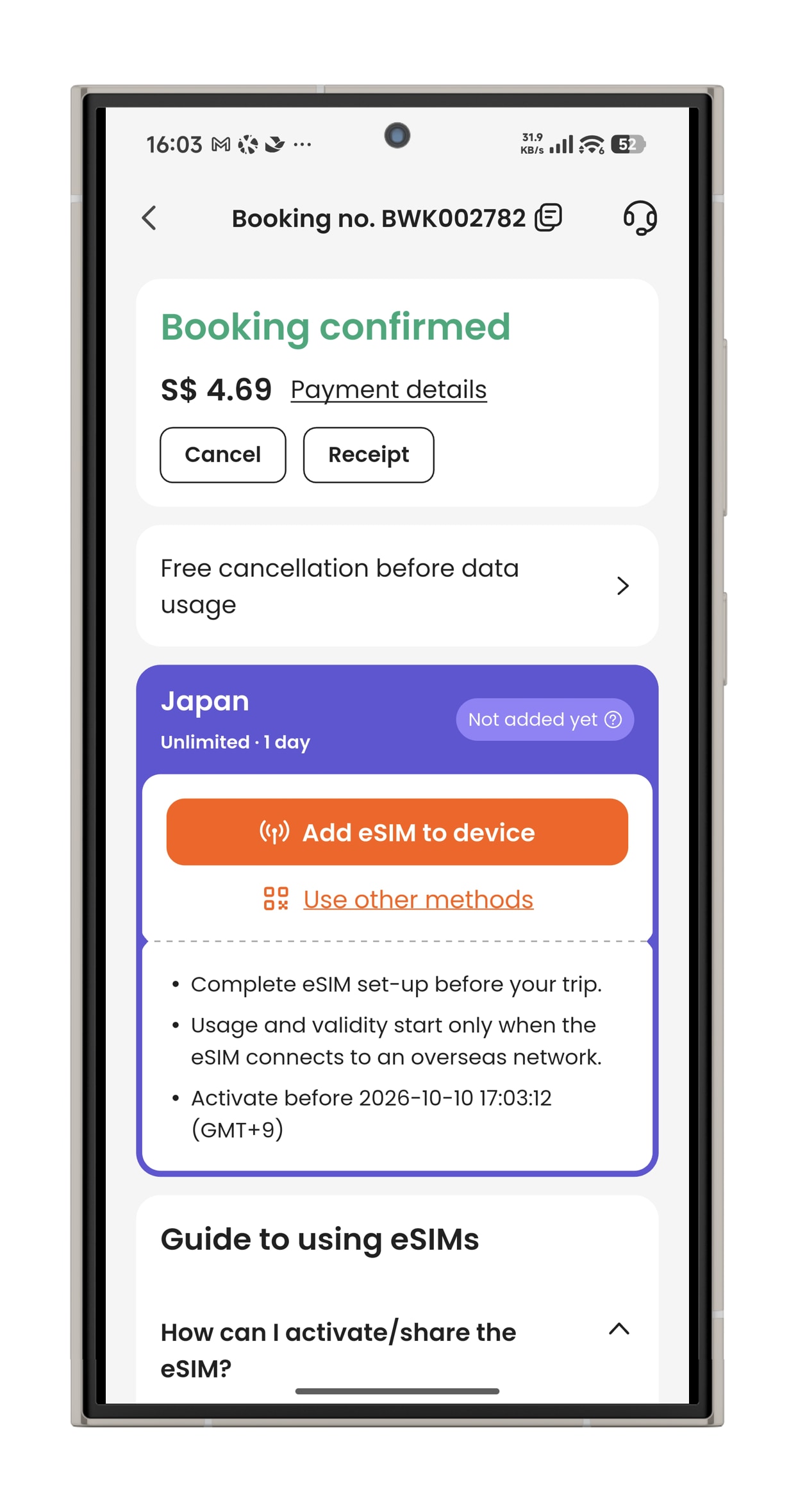
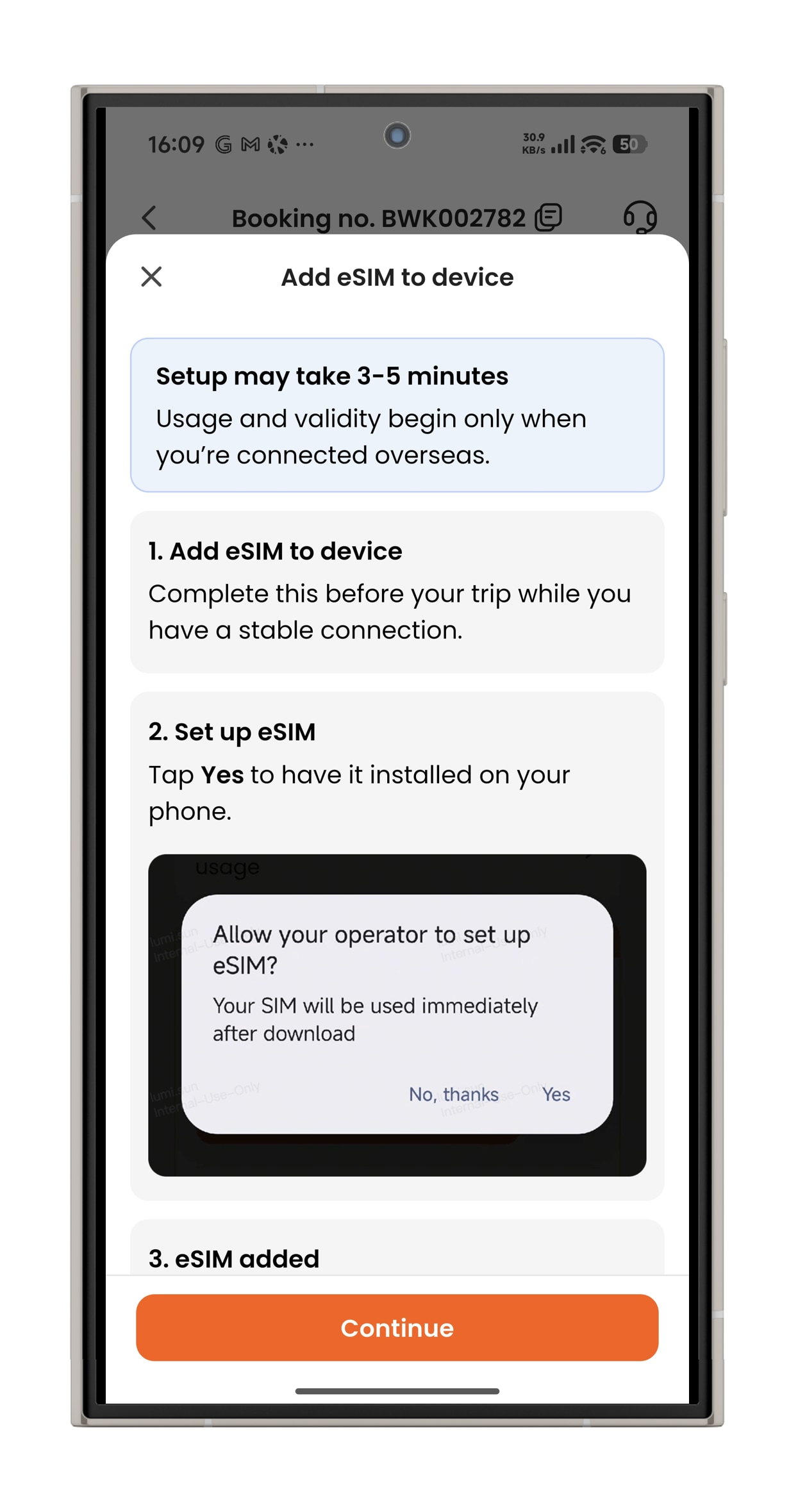
- Step 3. Activate the eSIM on a stable connection, and allow the eSIM to be installed on your device. Please do not leave the page while the eSIM is being activated.